

There’s no big revolution in 3.8. It’s an update you’ll feel in your day-to-day work — faster filtering, fewer clicks, a better mobile experience. These are the things that determine whether a system feels like home or not.
Registration List — Now on Your Terms
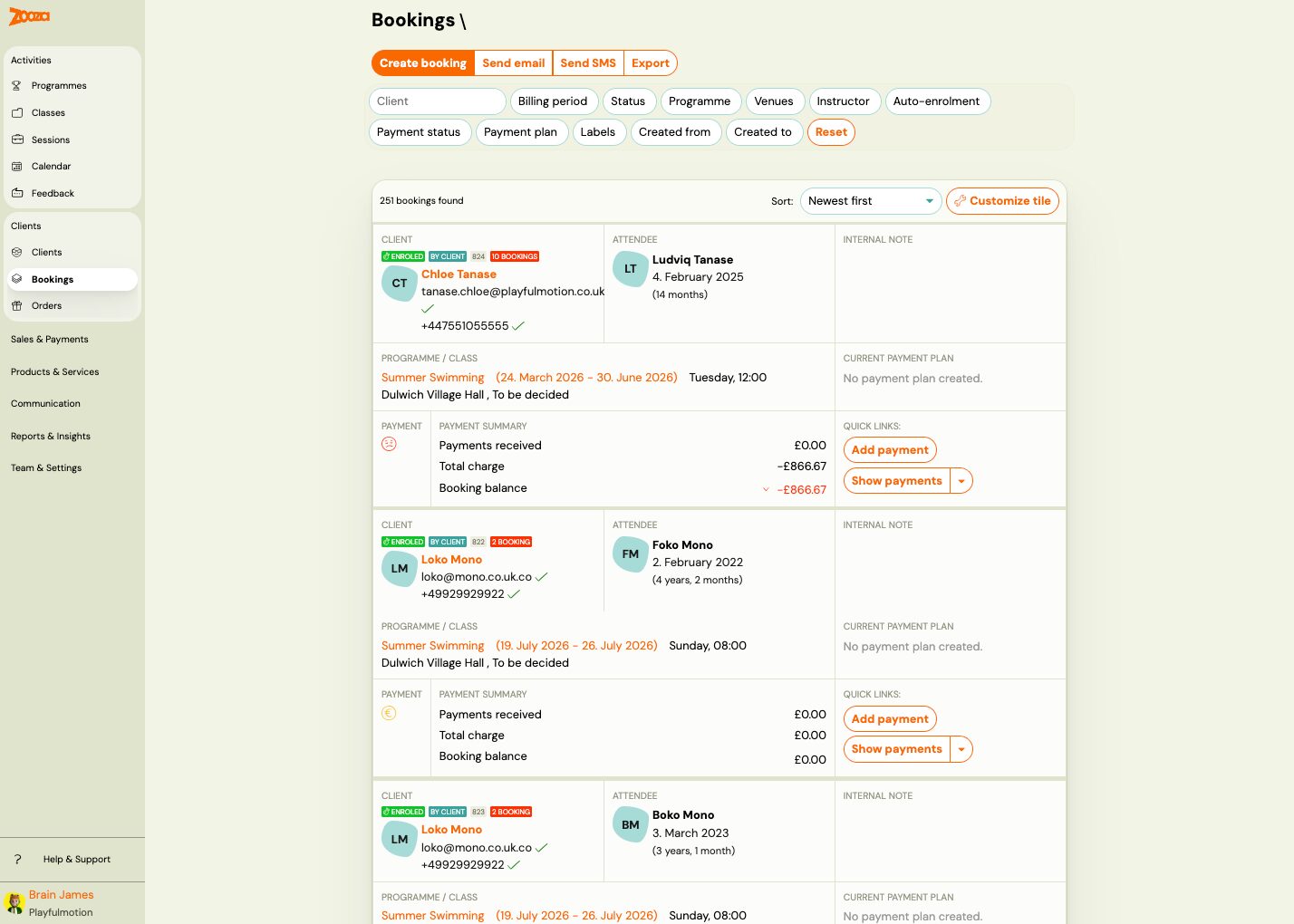
This is a change that’s easy to overlook, but once you discover it, you’ll wonder how you ever managed without it. Every row in the registration list is now fully customizable. Click Customize Tile in the top-right corner and drag to add or remove information blocks — client name, payment status, program, custom fields, tags, internal notes, whatever you need.
The layout is saved per user — every team member can configure their own view without affecting anyone else.
Tips by role:
- Operations / Billing — Identity + Details + Payment: instantly see outstanding balances without opening the detail view.
- Front Desk — Identity + Status + Dates: quick check-in when students arrive.
- Instructor — Identity + Details: a clean overview, nothing extra.
- Multiple programs with extra fields — add the Extra Fields block to see things like health information right in the list.
A Registration Filter That Actually Filters
The new filter in the registration list is another thing you’ll notice right away. Click a filter — client, instructor, program, payment status, custom tags — and the list updates instantly. No “Search” button, no waiting.
Tip: Combine the instructor filter with the “Unpaid” status — in 5 seconds you’ll know exactly who to follow up with before the end of the month.
Mobile App for Instructors
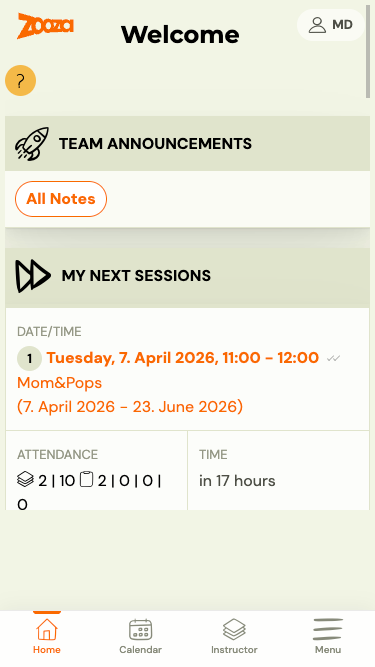
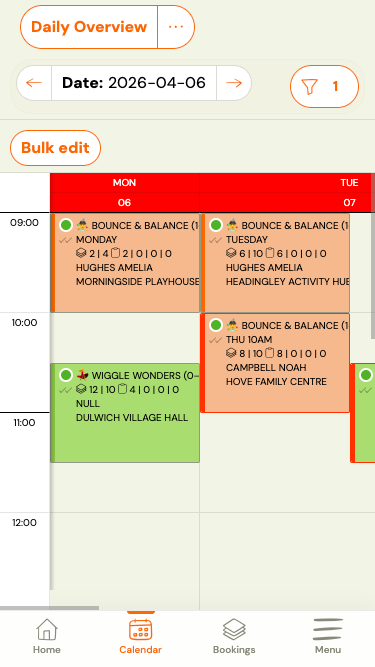
If your instructors take attendance on their phones, this release is for them. The new bottom navigation has four tabs: Home with upcoming classes, Calendar with a weekly overview, Profile with taught hours and availability management, and Menu.
From the home screen, one tap takes you straight to attendance — no hunting through menus in the middle of a class.
Tip: Zooza works as a web app — instructors can add it to their home screen just like a regular app, no App Store install required.
Messaging Right from the Menu
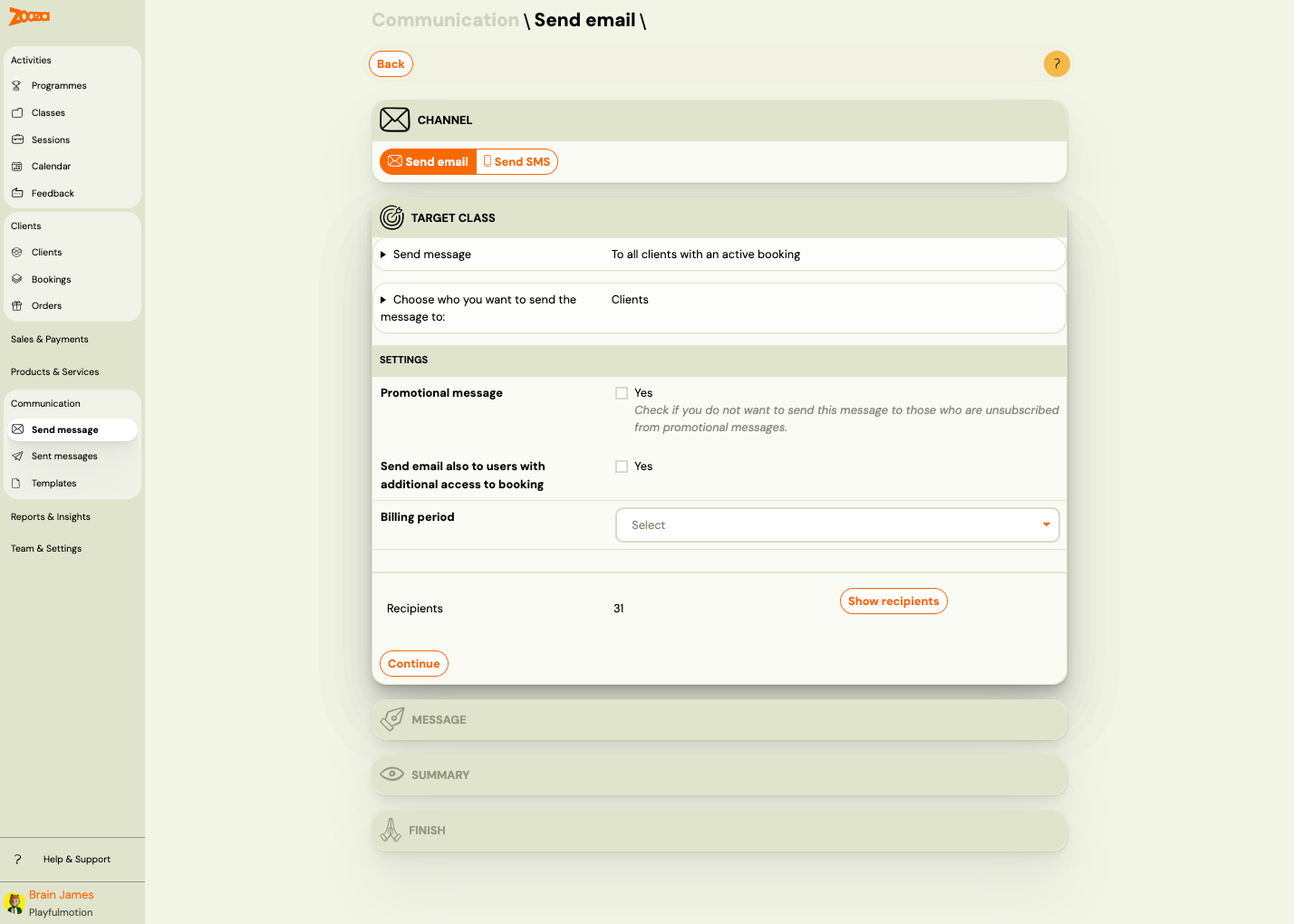
The Communication section now has its own spot in the left-hand menu. Compose a message, review history, manage templates — all directly accessible, no extra page in between. For anyone who regularly communicates with clients through the system, this saves a few clicks every day.
Other Changes in This Release
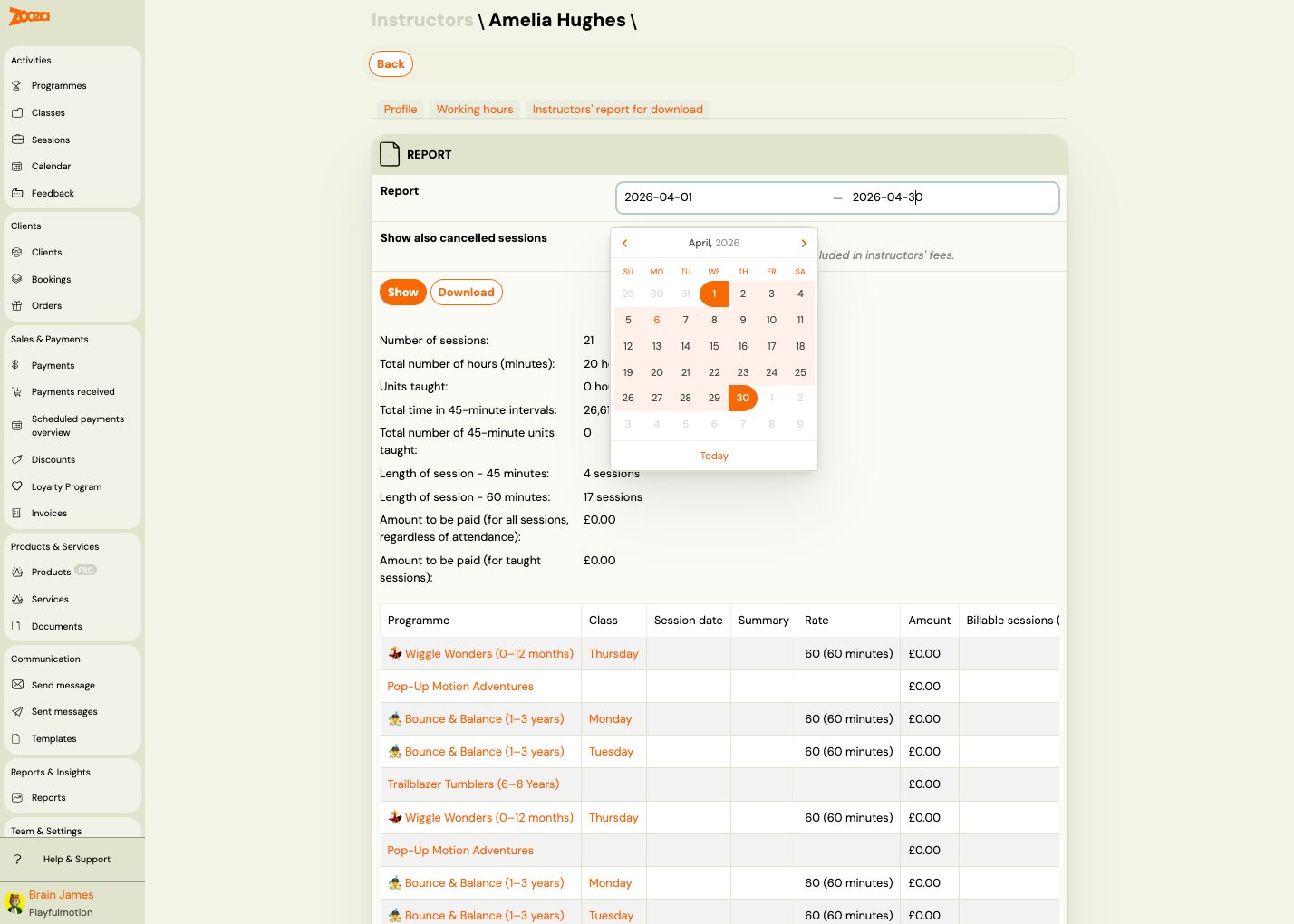
- New date range picker — a cleaner calendar selector when filtering by date across multiple areas of the system.
- Make-up class scheduling right in the widget — clients can see the instructor’s available slots over the next 14 days and suggest a time without back-and-forth emails. The instructor confirms or adjusts.
- Billing details on every registration — company ID, address, and tax number are available and editable right at the payment step. Fewer “please fix my invoice” requests.
- Loyalty discounts now work with installment payments — if you’ve set up discounts for long-term clients, they’re now applied automatically to installment plans as well.
Deleting a programme
Admins can now permanently delete a programme directly from Programme Settings — no need to contact support. You’ll find the Delete button next to Save in Programme Settings → Edit. A confirmation dialog appears before deletion. This is a soft delete — the data remains in the database, but the programme is no longer accessible in the app. If you want to keep historical data while retiring a programme, we recommend archiving instead.
Archiving or deleting a programme →
Ad hoc scheduled payment
You can now add a one-off scheduled payment to an existing payment plan — useful for top-ups, partial adjustments, or individual arrangements. There are two options:
- Individually: Use the “Add scheduled payment” button directly on a registration’s payment plan page.
- In bulk: A new workflow from the group detail — configure the payment, select registrations, and confirm. Each registration uses its own contract terms as defaults.
Important: Enter the amount as a negative number (e.g. -20) to create a receivable record.
Payment plan history
Each registration’s payment plan page now shows a full history of all previous payment plans — including the template used and the date of each change. Helpful for audits and resolving disputes with customers.
Fixed assistant permissions
This release fixes several bugs that were limiting the Assistant role:
- Attendance: Assistants now see all attendance options (attended, absent, cancelled, make-up class, extra session). Previously, only a limited instructor view was shown.
- Payments: Assistants can now access both the payments overview and payment detail pages (previously showed a “not found” page).
- Instructor rates: Assistants can view and edit instructor rates in the profile tab.
- Instructor reports: Assistants can download instructor reports.
Sorting service items
Service items on the service detail page are now displayed as collapsible panels and can be reordered via drag and drop. A collapsed panel shows the item name and unit price. The order you set in the admin is the order customers will see during registration in the widget.
Bulk message queue and tracking
Bulk email sending now runs through a proper background queue with full tracking:
- Approval gate: Sending to 100+ recipients requires explicit confirmation — preventing accidental mass sends.
- Send progress: A live overview showing counts of sent, in-progress, and failed messages.
- Send history: Every bulk send is logged as a task with status tracking (awaiting approval → queued → sending → completed / cancelled / failed).
- Cancellation: Active send tasks can be cancelled.
- Queue: Only one send task can be active per account at a time — additional tasks are automatically queued.
Sending emails and SMS →
Bulk send tracking →
Try it out in Zooza and let us know how it works for you — we’d love your feedback. If you have questions about a specific feature, you’ll find answers in our help center.