Zooza logo

Your brand. Your website. No redirect.

Parents find a class, book it, pay for it and manage it without ever leaving your site. Zooza runs underneath — the Immersive Booking Engine™ embeds into your pages, carries your logo, your colours and your tone, and sends emails from your name. Families deal with you, because they are dealing with you.

What staying on your own site actually buys you

The difference between an embedded booking flow and a link to someone else’s portal shows up in three places: trust, conversion, and whether your marketing data is worth anything.

No hand-off at the worst moment

The redirect to an unfamiliar portal lands exactly when a parent is deciding. Keeping the flow on your pages removes that pause.

Ad tracking that still works

When the booking completes on your own domain, the conversion is yours to measure. Off-site portals are where paid campaigns lose their attribution.

Your look, down to the tile

Logo, colours, typography accents, button labels and success screens. Course and session tiles can be restyled individually.

Your sender identity

Confirmations, reminders and re-enrolment prompts go out from your email domain, and WhatsApp Business templates carry your brand.

A parent portal that belongs to your site

Payments, make-ups, invoices and shared access, linked from your own navigation rather than a separate login somewhere else.

Several brands, one platform

Networks run brand variations and per-location rules — local policies and languages under the standards head office sets.

Embeds into the site you already have

WordPress, Wix, Squarespace or a hand-built site: the booking flow drops into a page you already control.

Per-product booking forms

Each product can carry its own embed, its own fields and its own steps — a trial does not have to ask what a full term asks.

What you can set up

None of this needs a developer. What a developer adds is reach — the same surfaces are available over the API if you want something entirely your own.
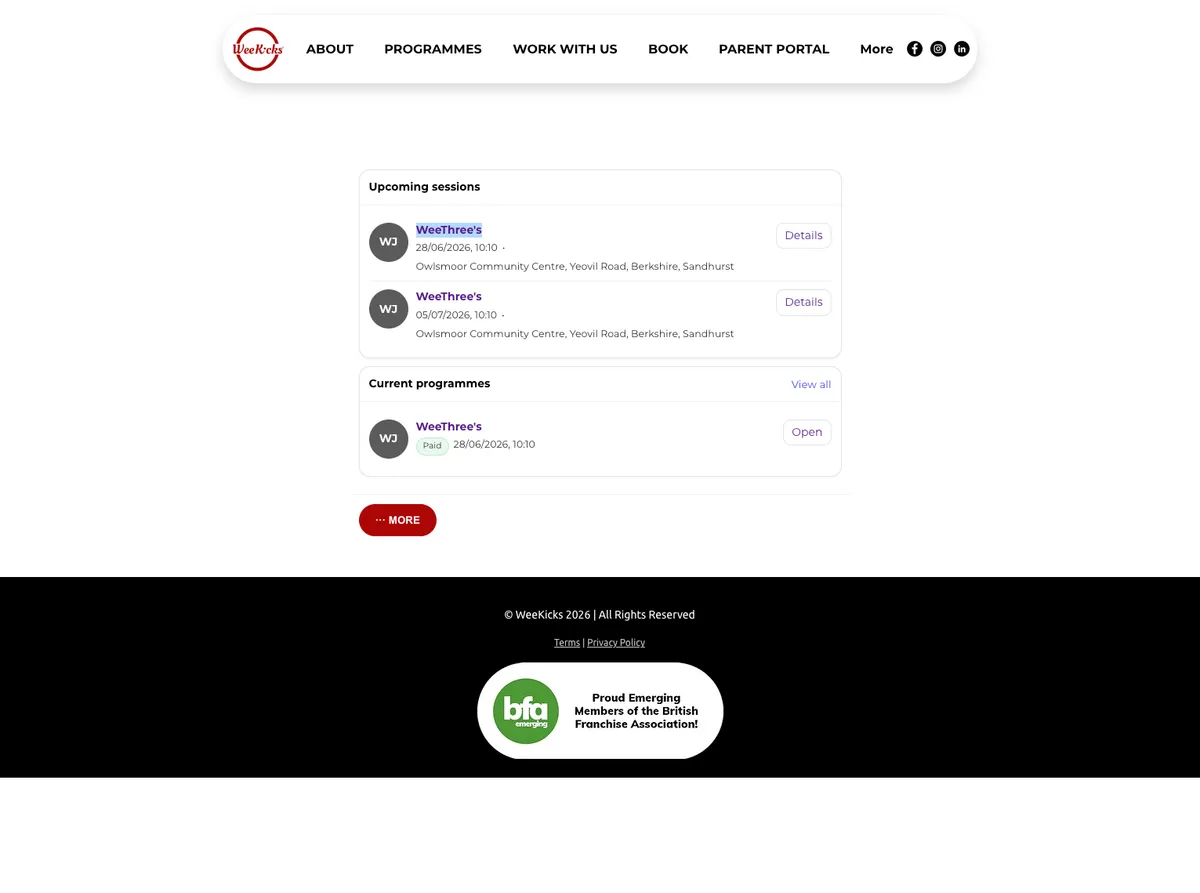
  • Course and session tiles restyled to your brand — illustrated programme tiles, prices, availability, your own labels.
  • A venue map, so a family picks by location rather than guessing which address is closest.
  • A timetable filtered the way parents actually search: by venue, by age, by day.
  • Your own course catalogue, rendered from live availability rather than a list someone updates by hand.
  • A multi-step trial booking — its own price, its own capacity, its own follow-up.
  • Forms with conditional fields, consents and the steps you want, per product.
  • Message templates for confirmations, reminders, changes and re-enrolment prompts.
  • A chatbot on your pages that recognises the logged-in parent and answers about their own bookings.
The full registration journey on inDance Pop Balet’s own website, in their branding

See it on a real site

These are live pages from WeeKicks, a UK franchise running on Zooza. Their nav, their colours, their domain — the whole parent journey, start to finish.
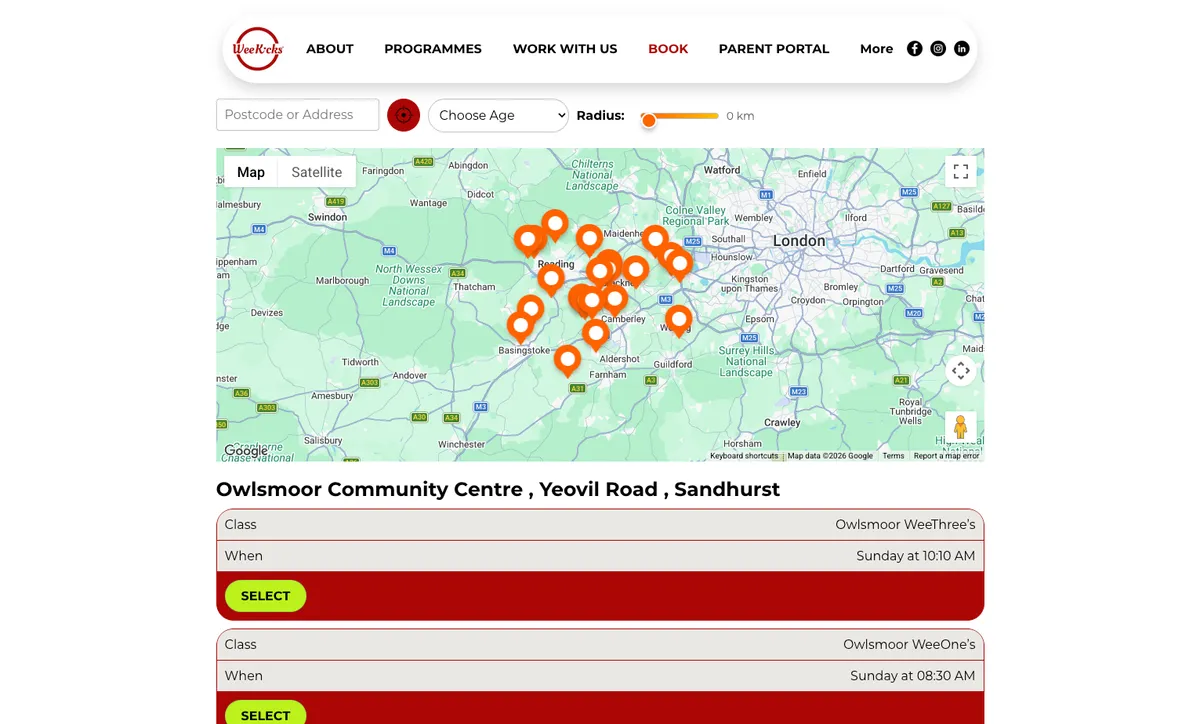
WeeKicks website showing a venue map with class locations, a postcode and age filter, and class tiles with a select button
Finding a class. A parent enters a postcode and age, sees the venues on a map, and picks the session that fits — all inside the WeeKicks site.
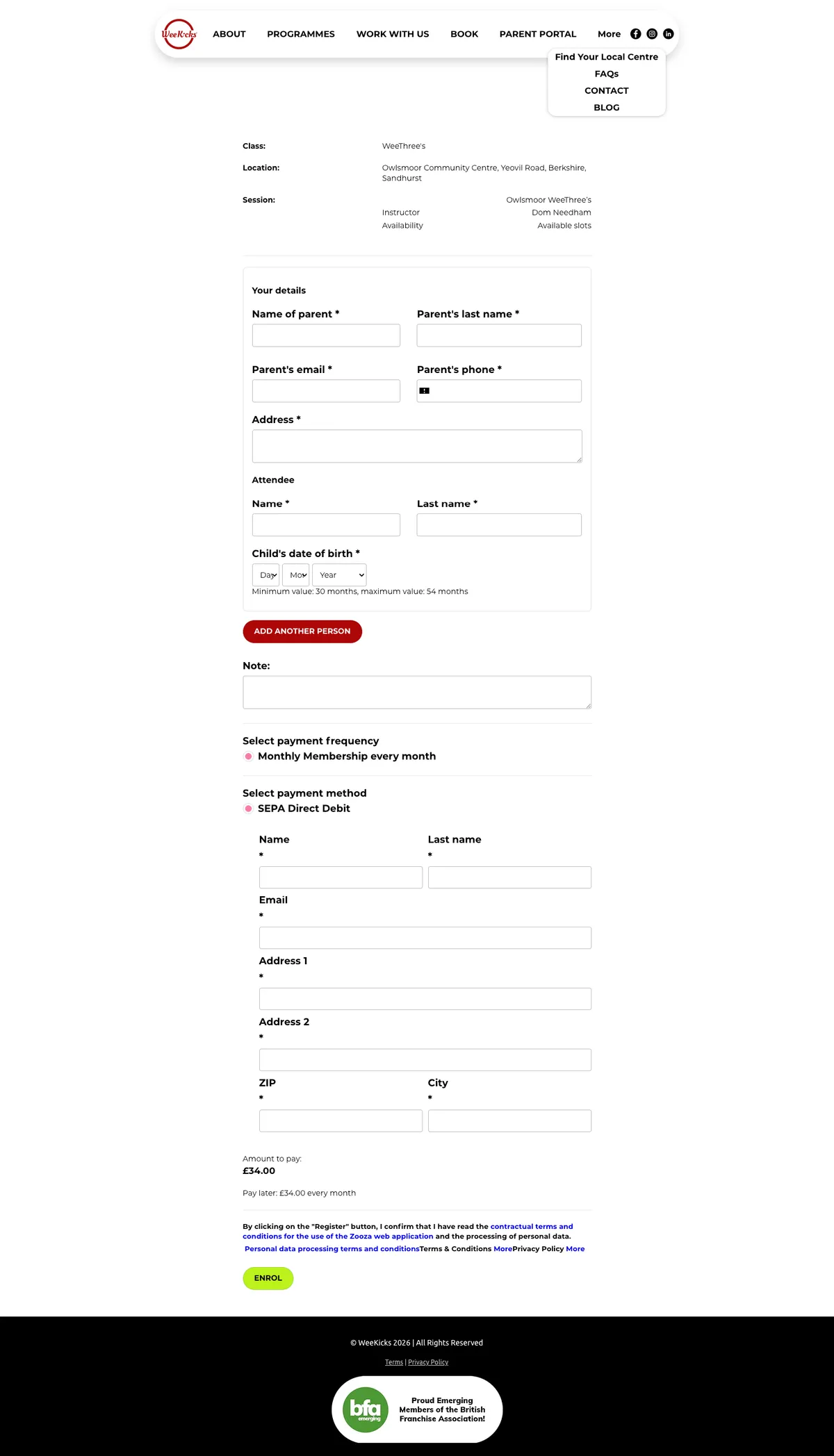
WeeKicks booking form with parent and child details, age validation, payment frequency and SEPA Direct Debit setup
Booking and paying. Parent and child details, an age rule enforced on the field, the payment plan and direct debit mandate — on the same page, under the same brand.
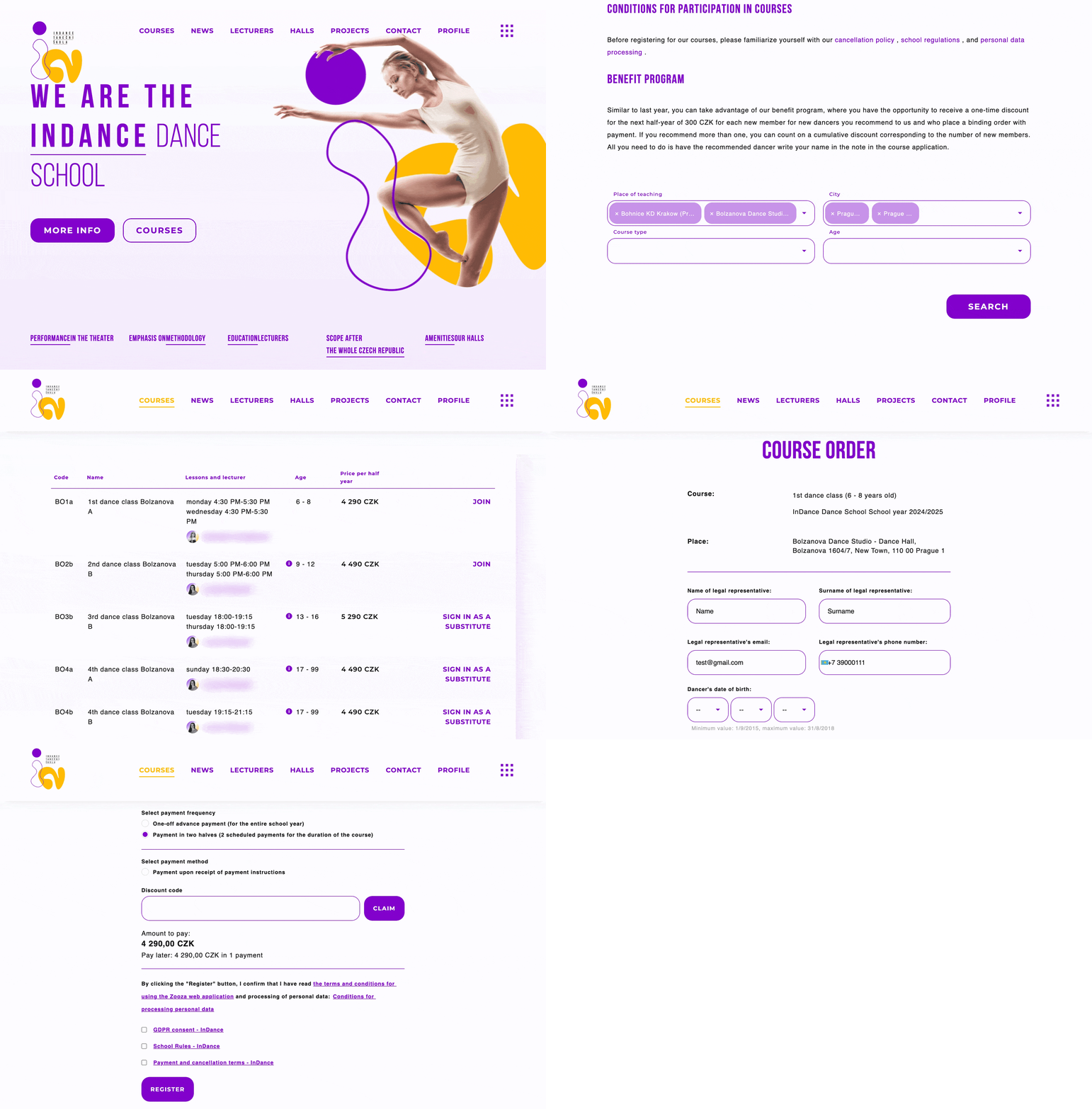
WeeKicks parent portal showing upcoming sessions, current programmes and a paid status badge
Afterwards. Upcoming sessions, current programmes and payment status, reached from the WeeKicks navigation rather than a separate portal login.

If you want to build the booking experience yourself rather than configure it, the same surfaces are documented with working code. Integration examples in the docs →

Own the experience — from first click to paid enrolment.

Embed Zooza on your site, keep families on your brand, and let the platform handle the operational lift behind every class.

Try for Free No credit card needed.
Book a live demo We’ll show you what’s possible.

FAQ – What people usually ask before starting

  • Is this truly white-label?
    Booking and communication run under your brand on your website; parents are not pushed to a third-party app. You and your team still use the Zooza app for management.
  • Does the booking flow keep parents on my own website?
    Yes. Every step — choosing a class, entering details, paying, and the parent portal afterwards — happens on your domain, with no off-site redirect.
  • Do parents need to install an app?
    No. Everything runs in the browser, mobile-first.
  • Which website platforms does it work with?
    It embeds into the site you already run — WordPress, Wix and Squarespace among them — because it is a snippet on a page you control rather than a platform you have to move to.
  • Will on-site booking help my paid campaigns?
    It keeps the conversion on your own domain, which is what makes it measurable in your ad platform and analytics. A booking that completes on someone else’s portal is the usual reason paid campaigns cannot be attributed properly.
  • Can we use our email domain and WhatsApp?
    Yes. Send branded emails from your domain and use WhatsApp Business templates alongside email.
  • Can each product or location look a bit different?
    Yes — within your head-office style guardrails, you can fine-tune labels, templates and offers per product and per location.
  • Can we run multiple brands on one platform?
    Yes. Zooza supports networks with brand variations and location-level settings.
  • What is the Immersive Booking Engine™?
    It is the name for this on-site booking experience — the embedded flow that keeps every step on your own website instead of handing parents to an external portal. It is what the rest of this page describes.

For developers

Tiles, timetables, maps and the catalogue can be styled with scoped CSS, or rendered entirely by your own code through the widget callbacks and the REST API.