A glance or a fingertip
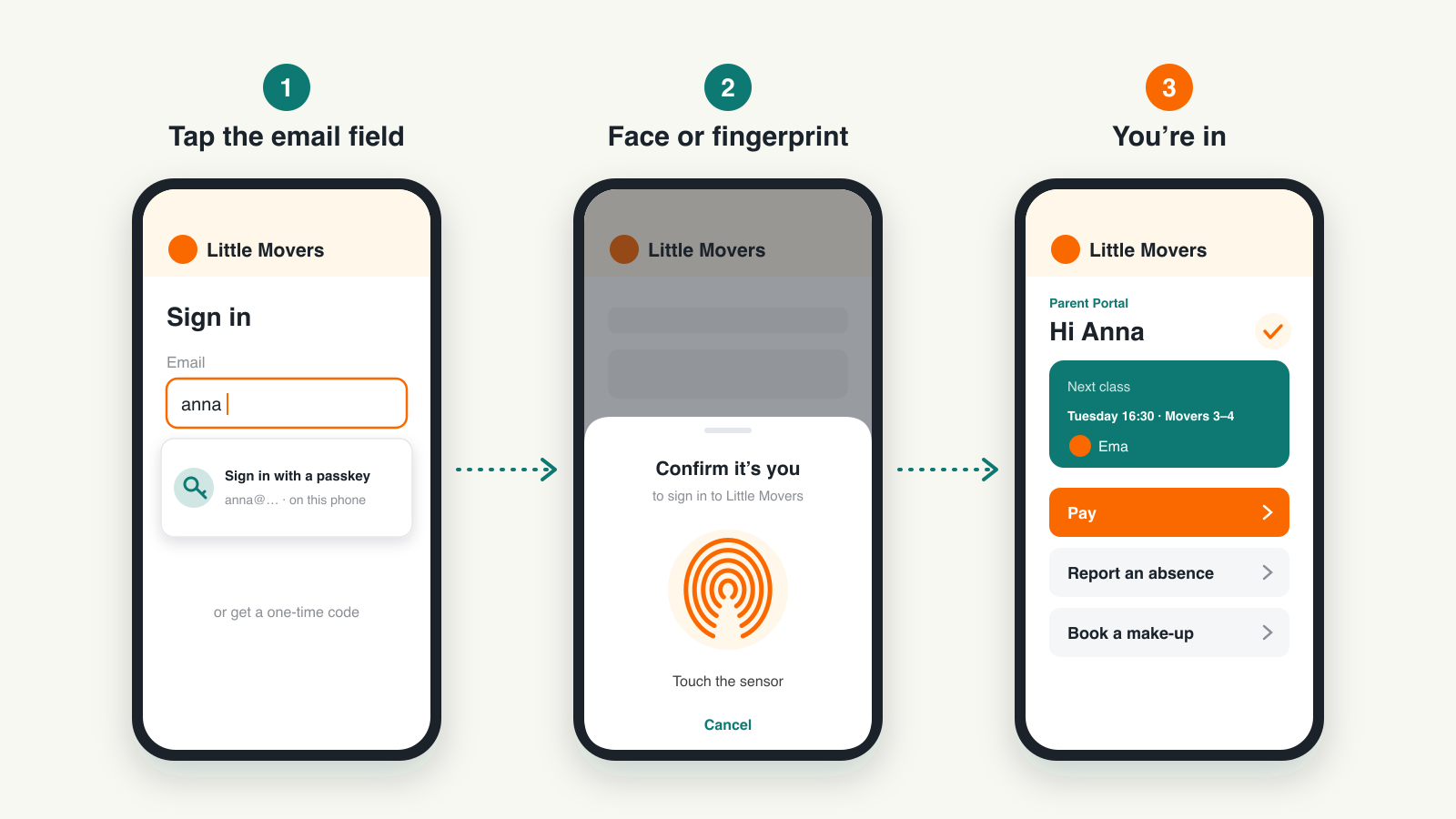
Once a parent has added it, the browser offers it the moment they tap the email field. They confirm with their face, their fingerprint or their screen lock, and the Parent Portal opens.

Parents open the Parent Portal or the booking form on your website and sign in the way they unlock their phone: a glance or a fingertip. No code to wait for, nothing to type. Your admins and instructors get the same shortcut in the Zooza app. Zooza has never used passwords, so nobody has one to forget.
Biometric login is built on passkeys, the sign-in standard supported by Apple, Google and Microsoft devices. It is live now, for the families who book with you and for your whole team.
Once a parent has added it, the browser offers it the moment they tap the email field. They confirm with their face, their fingerprint or their screen lock, and the Parent Portal opens.
Returning families sign in at the login step of your booking form and stay on the page. The class, options and start date they picked are still there, with their saved details and children filled in.
After their next sign-in, parents see a small card in their profile offering it. One confirmation and it’s done. The offer never gets in the way of a booking.
The face or fingerprint check happens on the parent’s own phone, and nothing about it is sent to Zooza. The passkey works only on your website, so a look-alike page cannot use it.
Admins and instructors sign in to the Zooza app with the same shortcut. Roles and permissions stay exactly as they are, and every new passkey is confirmed with a security email.
Prefer a one-time code or a magic link? Both keep working for everyone, and guests can still book without signing in. Biometric login is the fastest way in, never the only one.
Set up once, then one touch every time after.
The parent signs in to the Parent Portal or your booking form with a one-time code or a magic link, just like before.
A small card in their profile offers to set up a passkey. They confirm with their face or fingerprint, and that’s it.
When they tap the email field, the browser offers the passkey. One glance or fingertip and they’re in, on the same page they started on.
Their password manager, such as iCloud Keychain or Google Password Manager, carries the passkey to their other devices signed in to the same account.
Small moments, many times a term.
Open a free account and try it the way your families will: sign in once, add a passkey, come back with one touch. Codes and magic links keep working for everyone.
