Zooza 3.8.2: To-Do Lists, Slack Notifications, and a Few More Things That Actually Matter
There’s a certain kind of operational friction that every children’s activity business deals with — the ”did you follow up on that?” message, the task that lived in someone’s head, the note that got lost in a thread. Zooza 3.8.2 addresses that directly: a built-in to-do list and Slack integration so coordination actually happens inside your workflow, not around it.
To-Do Lists, Built Into the Sidebar
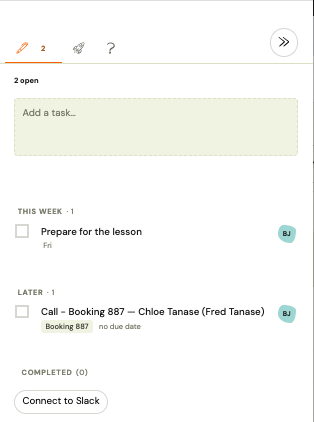
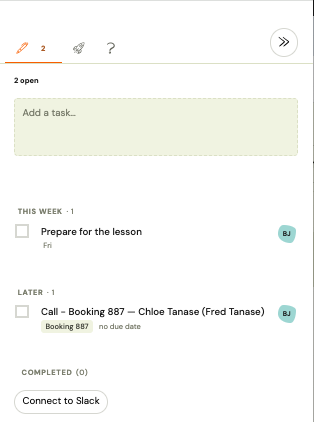
The to-do list lives in the Zooza sidebar — always one click away, no new tab, no separate app. Creating a task takes under five seconds: one line of text, assign it to a teammate if needed, set a due date, save. That’s it.
What makes it genuinely useful rather than just another task box:
-
Linked to the exact record where it was created. Open a booking, spot something that needs a follow-up, create the to-do right there. One click brings you — or your colleague — back to that exact registration, event, or payment. No hunting through the system.
-
Assign to any teammate, with a due date. Pick who handles it and when it needs to be done. The assignee gets a real-time notification the moment you save — in the sidebar and in Slack if connected.
-
Completion loop. When the assignee marks the task done, you get notified. No need to follow up on the follow-up.
-
Private by default. Everyone sees only the to-dos where they’re the creator or the assignee. No shared list that five people look at and nobody owns.
Here’s what it looks like in practice — creating a to-do directly from a client’s booking, assigning it to a colleague, and setting a due date:
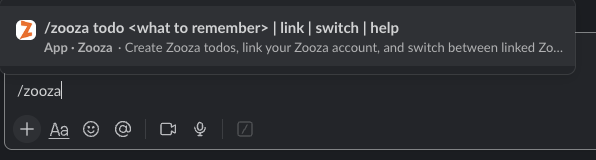
Tip: You can create a Zooza to-do directly from Slack — use the /zooza todo command in any channel, or right-click any message and choose Create Zooza todo. No need to switch to the browser.
To-do list — setup and usage → To-do list — FAQ →
Slack Integration
Slack is now a native notification channel in Zooza. The admin connects the workspace once via OAuth — after that, the whole team starts receiving Zooza notifications in Slack channels without any per-person setup.
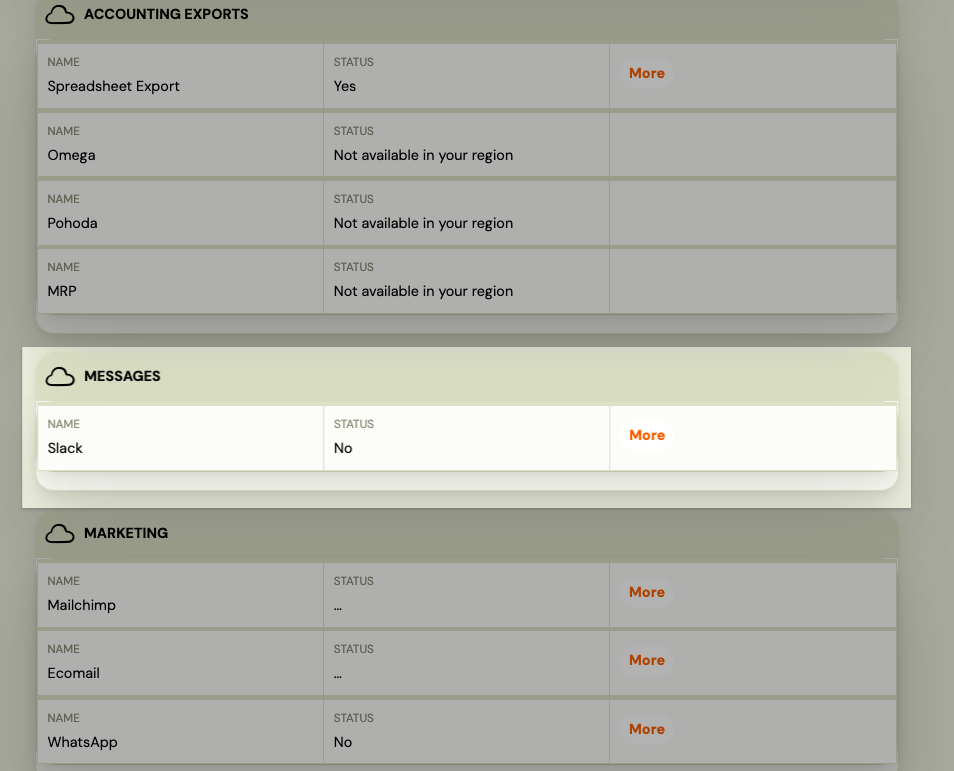
The setup flow is straightforward: go to Settings → Integrations → Slack, click Connect, authorise in Slack, pick your channels. First-time users verify their identity with a quick email link — one-time, takes about 30 seconds.
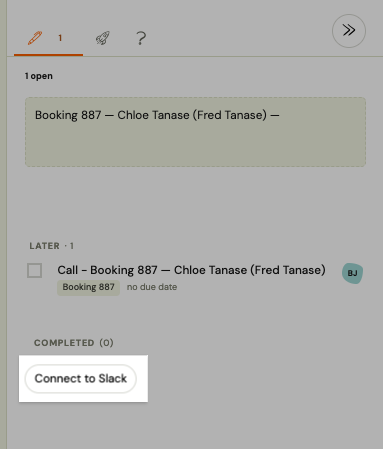
For franchises, this is worth noting: you connect the workspace once at the network level. Individual locations don’t need to re-authorise — they just pick which channel receives their notifications. One integration, every location covered.
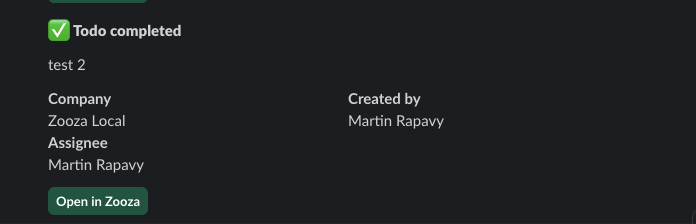
What gets sent to Slack: to-do assignments, system alerts, and operational events — the kind of thing that currently gets missed because it’s buried in email or never sent at all.
And the other direction works too — create Zooza to-dos from Slack without switching apps:
Slack integration — setup guide → Using Zooza from Slack → Slack FAQ →
Other Updates in This Release
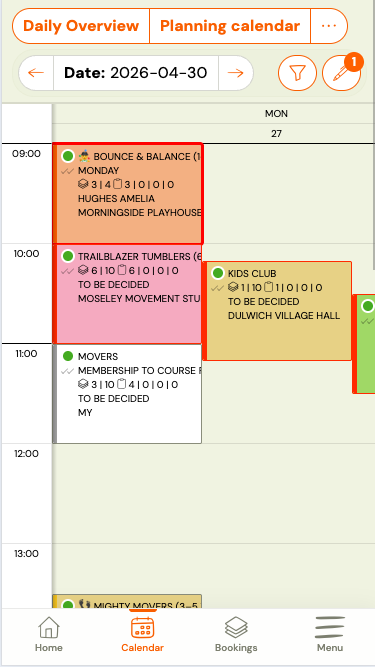
Calendar bulk actions on mobile. The send email, send SMS, and edit buttons used to overlap the calendar grid on mobile — tapping them was unreliable or impossible. They’re now in a slide-out drawer: tap Actions, enable bulk selection, pick your sessions, run the action. A badge on the Actions button shows how many sessions are currently selected. Desktop behaviour is unchanged.
Scheduled cancellation — automatic attendance hiding. When a registration has a scheduled cancellation date, Zooza now immediately hides that client’s attendance from all sessions on and after that date. Trainers’ attendance lists stay clean without manual cleanup. Change the date or revoke the cancellation and attendance is restored automatically. Only sessions that are unset or marked ”going” are affected — anything explicitly set by an admin (attended, no-show, etc.) is left untouched. Two new email merge variables for conditional messaging: CANCELLATION_SCHEDULED and CANCELLATION_DATE. More →
Registration widget — merge rooms. A new Merge rooms option in the registration widget groups all rooms at the same location into one entry. Clients choose the venue; the specific room is assigned automatically based on the selected class. Useful for multi-room venues where the room distinction is an internal detail clients don’t need to see. Enabled by default on newly created widgets; existing widgets keep their current behaviour until you change the setting in Settings → Widgets → [registration widget] → Merge rooms. More →
Profile avatar gallery. In Settings → My profile, users can now set their profile avatar by choosing from a gallery of preset images — no photo upload, no cropping. Pick one, save, done. Useful for teams where most people won’t bother uploading a photo but you still want faces in the system. More →
Automatic Deposit Invoice Split
If you use automatic invoice generation for registrations with a downpayment, there’s now an option to issue two separate invoices — one for the deposit, one for the remaining balance. Previously, Zooza issued a single invoice for the full amount upfront. Enable it in Settings → Billing → Invoice Profile → Split downpayment invoice. Applies to new registrations only — no changes to existing invoices. Particularly useful in markets where local tax law requires an invoice within a few days of each payment received — but the setting is available for any account using automated invoicing, regardless of country. More →
Everything above is live in Zooza now. If you have questions about any of these features, the help centre has step-by-step guides for each one.